
ALLENCOMM BLOG | Insights
Is The iPad Right For Your Training?
June 27, 2011
As the popularity of the iPad and other tablets continues to rise, instructional designers and corporate training professionals are experimenting with ways to utilize this transformative, new technology for their training initiatives. But, as we’ve discovered through our own foray into iPad development, not everything that applies to traditional web based training is relevant for the iPad. Before you expend a lot of time designing an iPad based course, or buy iPads for everyone in your company to train on, here are five questions you should ask yourself to ensure your ROI will be measured in more than high scores on Angry Birds.
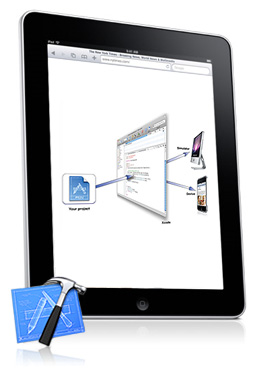
Who is your learning audience?
Do enough of your learners have access to an iPad to make it a platform worth developing for? You’ve heard the adage of a tree falling in the forest. Well, if a training module is developed for the iPad, and no one is around to take it, does it still count as training?
What delivery method will the course use?
If you’re designing a WBT that can be taken by both iPad and PC users, you’ll have to decide whether to create two separate courses, or scrap FLASH and just design for the iPad. You’ll also have to take different approaches for the iPad, depending if the course is blended with ILT class work or stand alone. You may need to develop specific apps to accommodate workbooks, forms or other course tools.
What activities will be used in the course for practicing skills?
When designing for the iPad, remember that you’ll have a lot more navigation and activity options available to you than you would for a standard web based design. iPad touch navigation technology adds more depth to online games, simulations and role plays, so play to those strengths.
When considering an iPad App, which category or combination of categories is suitable for training?
iPad apps fall into four basic categories; Information/Reference, Skills, Tools and Games. Define which one your app falls under and stick to it.
What media will be used in the course?
iPads are a media-rich platform, with vast potential for user interactivity with video, visuals and animations. If the course plan is text and graphic heavy then you’ll be better off sticking to a standard WBT format.
Resources For L&D Leaders

free guide

free guide
insights | on the blog

ALLENCOMM Press Releases
AllenComm Earns Spot on Best Mobile Learning Content Providers 2026 List
eLearning Industry honors AllenComm for its custom mobile learning solutions for enterprise, built to improve performance outcomes at scale. SALT LAKE CITY, [July 29, 2026] — AllenComm has been named to eLearning Industry’s...
ALLENCOMM Press Releases
AllenComm Named a Top Employee Engagement Training Provider by eLearning Industry
AllenComm has been recognized by eLearning Industry as a 2026 top provider for employee engagement, cited for scalable, personalized L&D that drives measurable results. SALT LAKE CITY, [June 24, 2026]...
ALLENCOMM Press Releases